
Auto-Generated OpenAPI 3.1 & Scalar UI
Superman features first-class, out-of-the-box support for generating OpenAPI 3.1.0 specifications from your declarative endpoints. Because you define routes, schemas, rate-limiting, and error responses declaratively through defineController and middleware (validateBody, requireAuth, etc.), the framework extracts all this metadata automatically.
There is zero drift between your code and your API documentation.
The /spec Endpoint
By default, the framework exposes a single route at GET {prefix}/spec (e.g., /api/spec). This returns a fully formed JSON representation of your OpenAPI 3.1 specification.
It automatically includes:
- Tags: Derived from your module names.
- Paths: All registered routes and HTTP methods.
- Request Body & Parameters: Inferred directly from
validateBody,validateQuery,validatePathParams,validateHeaders, andvalidateCookies(which uses.*or JSON Schema). - Security Schemes: Automatically documented when you use
requireAuth()(e.g.,bearerAuth) andrequireRoles(). - Responses: Merges your explicitly declared success responses with framework-provided error responses (400, 401, 403, 415, 429, 500).
Interactive Docs UI (Scalar)
You can enable an interactive documentation interface powered by Scalar directly within your app, requiring no additional setup.
To enable it, set openapi.docs.enabled: true in your configuration:
import { defineConfig } from '@supersec-ai/superman';

defineConfig({
  // ...
  openapi: {
    docs: {
      enabled: true, // Exposes the UI at `GET {prefix}/docs`
      // exposeInProduction: false // by default, returns 503 in production unless set to true
    }
  }
});
When enabled, navigating to GET {prefix}/docs (e.g., /api/docs) will render a beautiful UI like this:
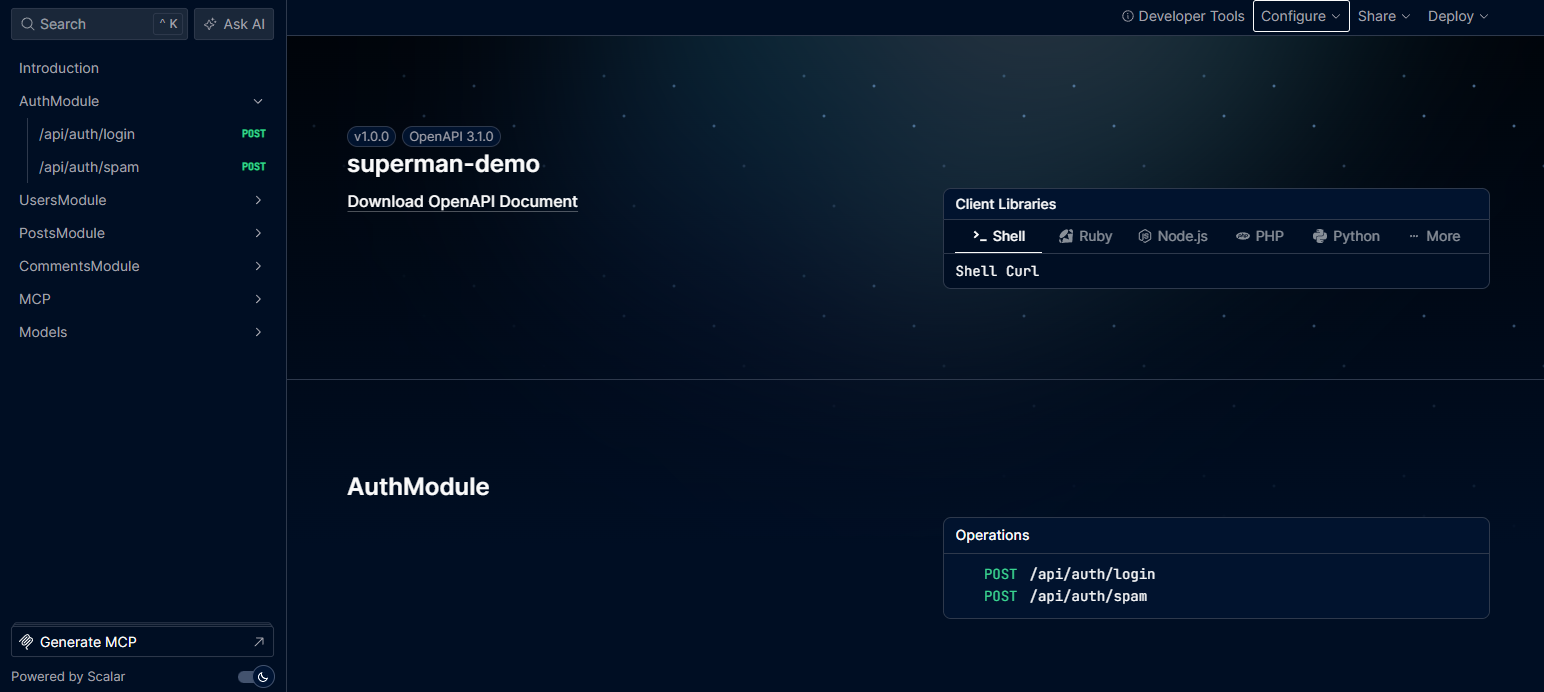
This UI allows you to browse all endpoints grouped by module, inspect schemas, and interactively test the API via the built-in "Send API Request" panel.
Using Environment Variables for Docs
You can toggle the documentation UI via the DOCS environment variable (DOCS=true or DOCS=false), which takes precedence over your defineConfig setting. This allows you to quickly expose or hide the documentation without redeploying or altering the codebase.