
Automatic Event Logging
The framework emits six categories of typed, structured logs out of the box. Every HTTP request, every exception, every resource mutation, every security-relevant status code, and every lifecycle transition is captured as a JSON object that matches one of the *Log interfaces in superman — no application code required.
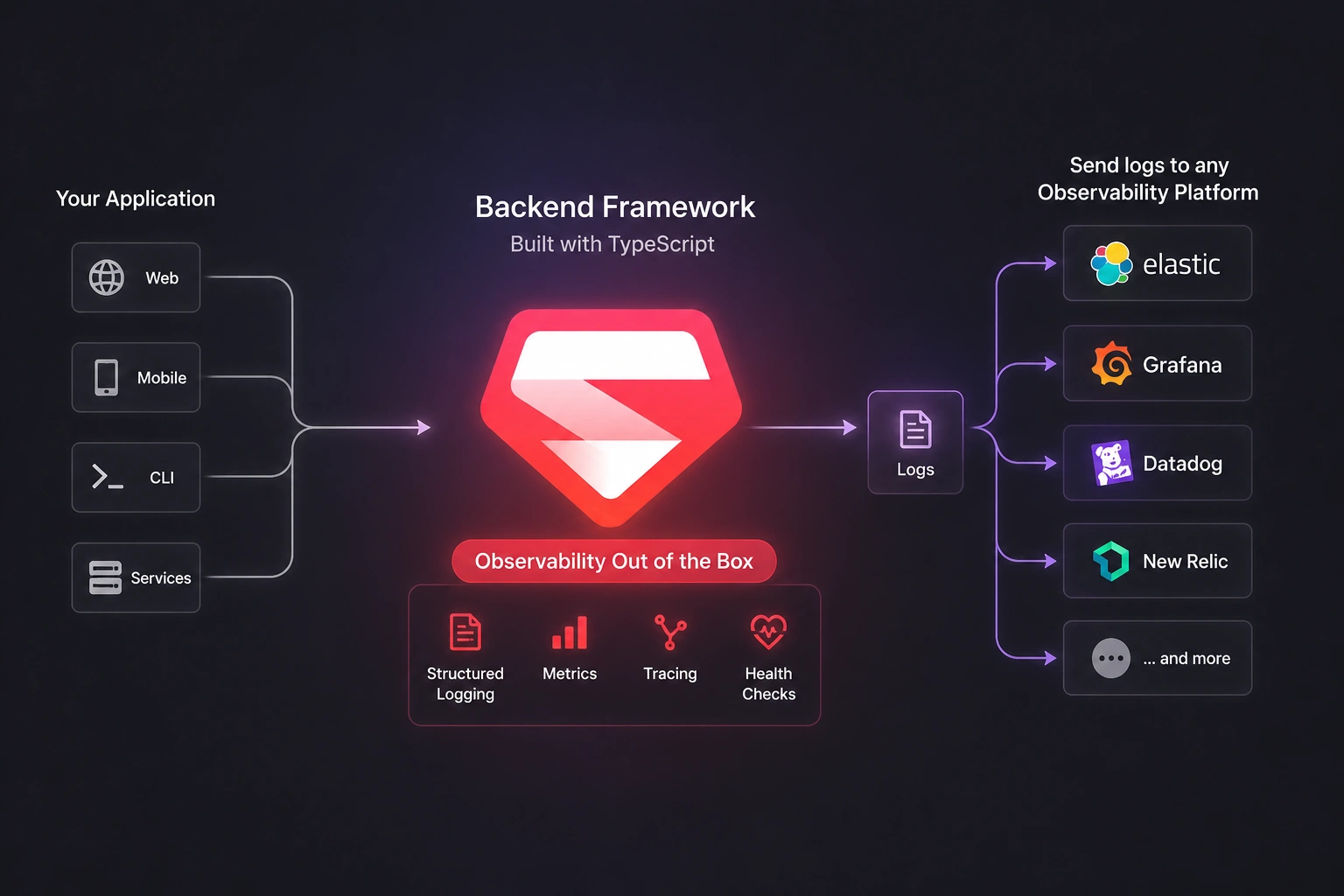
Enabling
import { defineConfig, EventType } from '@supersec-ai/superman';

defineConfig({
  port: 3000,
  logger: {
    enabledEventTypes: [
      EventType.SYSTEM, EventType.REQUEST, EventType.RESPONSE,
      EventType.ERROR,  EventType.AUDIT,   EventType.SECURITY,
    ],
    fileOutput:    { enabled: true, directory: '/var/log/superman' },
    consoleOutput: { enabled: true, enableEventDebug: true },
  },
});
Defaults: all six event types enabled, console output ON, file output OFF, enableEventDebug OFF (event JSON bodies hidden from the dev console — summary lines from the interceptor / exception middleware still render). Pass a subset of enabledEventTypes to silence categories you don't need (e.g. only SECURITY + ERROR for low-volume security audit trails).
Event types
| Event | When it fires | Shape |
|---|---|---|
SYSTEM | Server start, manual shutdown, SIGTERM/SIGINT received | SystemLog |
REQUEST | Every incoming HTTP request | RequestLog |
RESPONSE | Every completed HTTP response | ResponseLog |
ERROR | Every caught exception (HTTP and runtime) | ErrorLog |
AUDIT | Successful mutations — POST/PUT/PATCH/DELETE with 2xx status | AuditLog |
SECURITY | 401, 403, 413, 422, 429 responses (auto-mapped) | SecurityLog |
Status ➡️ security event mapping
| HTTP status | securityEvent | authOutcome | eventSeverity |
|---|---|---|---|
| 401 | UNAUTHORIZED_ACCESS | DENIED | WARN |
| 403 | FORBIDDEN_ACTION | DENIED | WARN |
| 413 | PAYLOAD_TOO_LARGE | DENIED | WARN |
| 422 | MALFORMED_PAYLOAD | DENIED | WARN |
| 429 | RATE_LIMIT_EXCEEDED | BLOCKED_TEMPORARILY | SECURITY |
FILE_UPLOAD_BLOCKED, SUSPICIOUS_INPUT_DETECTED, API_KEY_EXHAUSTED, and other SecurityEvents members are still available — they're not used by the raw-status auto-mapping, but apps can emit them directly via logger.events.security(...) when a WAF / virus scanner / quota service reports them.
Method ➡️ audit event mapping
| Method | Status | auditEvent |
|---|---|---|
| POST | 2xx | RESOURCE_CREATED |
| PUT | 2xx | RESOURCE_UPDATED |
| PATCH | 2xx | RESOURCE_UPDATED |
| DELETE | 2xx | RESOURCE_DELETED |
The resource is inferred from the first URL segment after your prefix (e.g. POST /api/users ➡️ resource: "users"). userId / userRoles are pulled from res.locals.userId / res.locals.userRoles if the app's auth middleware populates them.
Correlation model (no payload on the audit log)
The audit log is a correlation-only event marker: it records that an action happened on a resource type, by whom, and a requestId. It deliberately does not store the affected id or a payload/diff. The actual data — the request body and the response body — lives on the correlated REQUEST / RESPONSE logs, which you join to the audit entry by their shared requestId.
Because of this, "what changed" is only recoverable while the REQUEST/RESPONSE bodies are persisted. If you set savePayload: false (or payloadMaxLength: 0) on the REQUEST event, those bodies are stripped and the change detail is lost — the audit line still proves the action occurred, but not the values.
To keep auditable operations safe under lean request logging, there is one targeted rule: when the AUDIT event has savePayload: true (the default), the REQUEST log retains its requestBody for mutating methods (POST/PUT/PATCH/DELETE) even if the REQUEST event's own savePayload is false. It keys off the HTTP method (the request log is emitted before the status is known), so a mutating request that ends in a 4xx also keeps its body — a safe over-retention. Set AUDIT savePayload: false to opt out entirely.
File layout
When fileOutput.enabled is true, one NDJSON file is created per event type per day:
/var/log/superman/
  system-logs-2026-04-17.log
  error-logs-2026-04-17.log
  request-logs-2026-04-17.log
  response-logs-2026-04-17.log
  audit-logs-2026-04-17.log
  security-logs-2026-04-17.log
Each line is a single JSON object — ready for Filebeat / Fluentd / Vector / Datadog agent ingestion. The directory option accepts both absolute (/var/log/superman) and relative (./logs, logs) paths. If the process lacks permission to create the directory, the file sink disables itself with a single diagnostic and the app keeps running — it never crashes your service.
Request / Trace IDs
Every incoming request is tagged with an X-Request-Id header (generated via crypto.randomUUID() when absent, honoured when the client supplies one). The id is echoed back on the response and attached to every log line for the same request — so you can trace REQUEST ➡️ RESPONSE ➡️ AUDIT ➡️ SECURITY ➡️ ERROR across logs with a single grep. X-Trace-Id is also honoured when present (falls back to requestId otherwise).
Both IDs are available to application code via res.locals.requestId and res.locals.traceId.
Emitting your own events
The typed emitter is also available for app-level logs via logger.events.*:
import {
  logger, EventSeverity,
  SecurityEvents, AuthOutcome,
  AuditEvents,
  SystemEvent,    SystemStatus,
} from '@supersec-ai/superman';

const log = logger.child('Auth');

log.events.security({
  ip: req.ip,
  traceId: res.locals.traceId,
  requestId: res.locals.requestId,
  securityEvent: SecurityEvents.LOGIN_FAILED,
  authOutcome: AuthOutcome.DENIED,
  securityMessage: `Invalid password for ${email}`,
  eventSeverity: EventSeverity.WARN,
});

log.events.audit({
  auditEvent: AuditEvents.PASSWORD_CHANGED,
  userRoles: ['user'],
  auditMessage: 'User changed their password',
  resource: 'users',
});

log.events.system({
  systemEvent: SystemEvent.DB_CONNECTED,
  systemStatus: SystemStatus.ONLINE,
  systemMessage: 'PostgreSQL connection established',
});
The emitter fills in infra fields automatically (@timestamp, appName, appVersion, environment, serverInstanceUid, hostname, uptimeMs, memoryUsage, cpuUsage, context) and respects your enabledEventTypes filter.
Graceful shutdown
On SIGTERM / SIGINT the framework emits a SYSTEM_SIGNAL_RECEIVED event, runs every module's destroy(), and flushes all file streams before calling process.exit(0) — no truncated NDJSON lines on deployment.